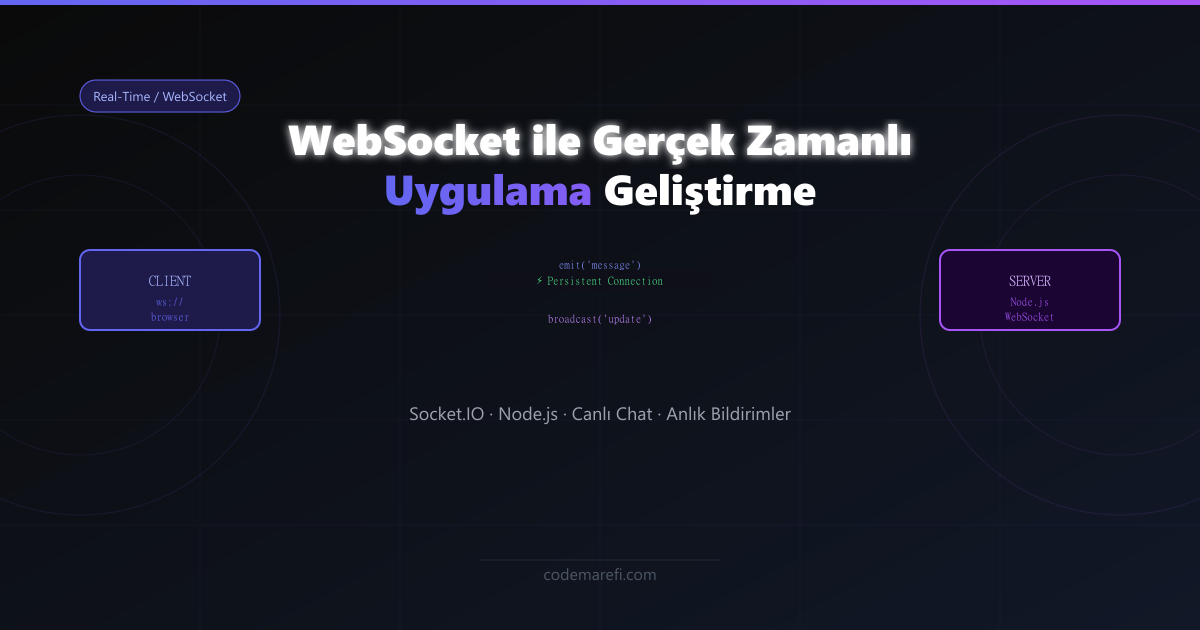
HTTP'nin Sınırları ve WebSocket'in Doğuşu
Klasik HTTP modelinde istemci bir istek gönderir, sunucu yanıt verir ve bağlantı kapanır. Canlı bildirimler, gerçek zamanlı sohbet veya anlık değişen veri için bu model yetersiz kalır. WebSocket, istemci ile sunucu arasında tek bir TCP bağlantısı üzerinden sürekli, çift yönlü iletişim kurarak bu sorunu kökten çözer.
HTTP Polling vs WebSocket: Fark Ne Kadar?
| Özellik | HTTP Polling | WebSocket |
|---|---|---|
| Bağlantı | Her istek için yeni | Tek, kalıcı |
| Gecikme | Yüksek (polling aralığı) | Çok düşük (ms) |
| Sunucu Yükü | Yüksek (gereksiz istek) | Düşük |
| Veri Akışı | Tek yön (istemci → sunucu) | Çift yön |
| İdeal Kullanım | Seyrek güncellenen veri | Canlı chat, oyun, finans |
Socket.IO ile Sunucu Kurulumu
Ham WebSocket API yerine, otomatik reconnect ve oda (room) yönetimi gibi üst düzey özellikler sunan Socket.IO kullanacağız:
npm install socket.io express// server.js
const express = require('express');
const { createServer } = require('http');
const { Server } = require('socket.io');
const app = express();
const httpServer = createServer(app);
const io = new Server(httpServer, {
cors: {
origin: "http://localhost:3000", // Next.js dev sunucusu
methods: ["GET", "POST"]
}
});
// Bağlanan kullanıcıları tut
const bagliKullanicilar = new Map();
io.on('connection', (socket) => {
console.log(`✅ Yeni bağlantı: ${socket.id}`);
// Kullanıcı giriş eventi
socket.on('kullanici_giris', (kullanici) => {
bagliKullanicilar.set(socket.id, kullanici);
// Sadece bu kullanıcıya: "Hoşgeldin"
socket.emit('mesaj', {
tur: 'sistem',
icerik: `Hoşgeldin, ${kullanici.ad}!`,
zaman: new Date()
});
// Herkese bildir (giren kişi hariç)
socket.broadcast.emit('kullanici_katildi', {
id: socket.id,
ad: kullanici.ad
});
});
// Mesaj eventi
socket.on('mesaj_gonder', (veri) => {
const gonderen = bagliKullanicilar.get(socket.id);
if (!gonderen) return;
// Mesajı odadaki HERKES'e gönder (gönderen dahil)
io.emit('yeni_mesaj', {
id: Date.now(),
gonderen: gonderen.ad,
icerik: veri.icerik,
zaman: new Date()
});
});
// Özel oda sistemi
socket.on('odaya_katil', (odaId) => {
socket.join(odaId);
socket.to(odaId).emit('mesaj', {
tur: 'sistem',
icerik: `${bagliKullanicilar.get(socket.id)?.ad} odaya katıldı`
});
});
// Bağlantı kesilince temizle
socket.on('disconnect', () => {
const kullanici = bagliKullanicilar.get(socket.id);
bagliKullanicilar.delete(socket.id);
if (kullanici) {
io.emit('kullanici_ayrildi', { ad: kullanici.ad });
}
console.log(`❌ Bağlantı kesildi: ${socket.id}`);
});
});
httpServer.listen(4000, () => {
console.log('Socket.IO sunucusu :4000 portunda çalışıyor');
});React İstemcisi (Next.js ile)
npm install socket.io-client// hooks/useSocket.ts
import { useEffect, useRef, useState } from 'react';
import { io, Socket } from 'socket.io-client';
export function useSocket(kullanici: { ad: string }) {
const socketRef = useRef(null);
const [mesajlar, setMesajlar] = useState([]);
const [bagliMi, setBagliMi] = useState(false);
useEffect(() => {
// Bağlantı kur
socketRef.current = io('http://localhost:4000', {
reconnectionDelay: 1000,
reconnectionAttempts: 5
});
const socket = socketRef.current;
socket.on('connect', () => {
setBagliMi(true);
socket.emit('kullanici_giris', kullanici);
});
socket.on('disconnect', () => setBagliMi(false));
socket.on('yeni_mesaj', (mesaj) => {
setMesajlar(prev => [...prev, mesaj]);
});
// Temizleme: component unmount'ta bağlantıyı kapat
return () => {
socket.disconnect();
};
}, []); // eslint-disable-line react-hooks/exhaustive-deps
const mesajGonder = (icerik: string) => {
socketRef.current?.emit('mesaj_gonder', { icerik });
};
return { mesajlar, bagliMi, mesajGonder };
}
// ChatBileşeni.tsx
export default function Chat() {
const { mesajlar, bagliMi, mesajGonder } = useSocket({ ad: 'Kullanıcı' });
const [input, setInput] = useState('');
return (
<div className="flex flex-col h-screen bg-gray-950">
{/* Bağlantı durumu */}
<div className={`px-4 py-2 text-sm ${bagliMi ? 'text-green-400' : 'text-red-400'}`}>
{bagliMi ? '🟢 Bağlı' : '🔴 Bağlantı kesildi'}
</div>
{/* Mesaj listesi */}
<div className="flex-1 overflow-y-auto p-4 space-y-3">
{mesajlar.map(m => (
<div key={m.id} className="bg-gray-800 rounded-lg p-3">
<span className="text-blue-400 font-bold">{m.gonderen}: </span>
<span className="text-gray-200">{m.icerik}</span>
</div>
))}
</div>
{/* Input alanı */}
<form className="p-4 flex gap-2"
onSubmit={e => { e.preventDefault(); mesajGonder(input); setInput(''); }}>
<input value={input} onChange={e => setInput(e.target.value)}
className="flex-1 bg-gray-800 rounded-lg px-4 py-2 text-white" />
<button type="submit" className="bg-indigo-600 px-6 py-2 rounded-lg text-white">
Gönder
</button>
</form>
</div>
);
} Ölçeklendirme: Birden Fazla Sunucu
Tek bir sunucu tüm bağlantıları taşıyamadığında, Socket.IO'yu birden fazla Node.js instance'ında çalıştırmak için Redis Adapter kullanılır. Bu sayede Sunucu A'daki istemci, Sunucu B'deki istemciye mesaj gönderebilir.
const { createAdapter } = require('@socket.io/redis-adapter');
const { createClient } = require('redis');

const pubClient = createClient({ url: process.env.REDIS_URL });
const subClient = pubClient.duplicate();

await Promise.all([pubClient.connect(), subClient.connect()]);

// Redis adapter'ı bağla — artık tüm sunucular senkron
io.adapter(createAdapter(pubClient, subClient));
🔌 WebSocket Kullanım Alanları
- Canlı sohbet: Discord, Slack benzeri mesajlaşma uygulamaları
- Ortak düzenleme: Figma, Google Docs tarzı gerçek zamanlı işbirliği
- Oyun: Çok oyunculu tarayıcı tabanlı oyunlar
- Finans: Anlık kripto/hisse fiyat akışları
- Bildirimler: Sipariş takibi, canlı dashboard güncellemeleri